Correct your linked platform profiles
Use Channels to replace a wrong platform link. Send duplicate-profile or catalog corrections to Support.
Using your phone? Open these settings in the Songstats app, or use the links below on a computer.
Open Profile Settings → Channels for the intended artist or label. If another profile opens, switch profiles first.
Review the listed URLs, remove an incorrect link and use Add Link for the official artist, label or channel URL. Where a platform has multiple links, its primary/star control chooses the main one.
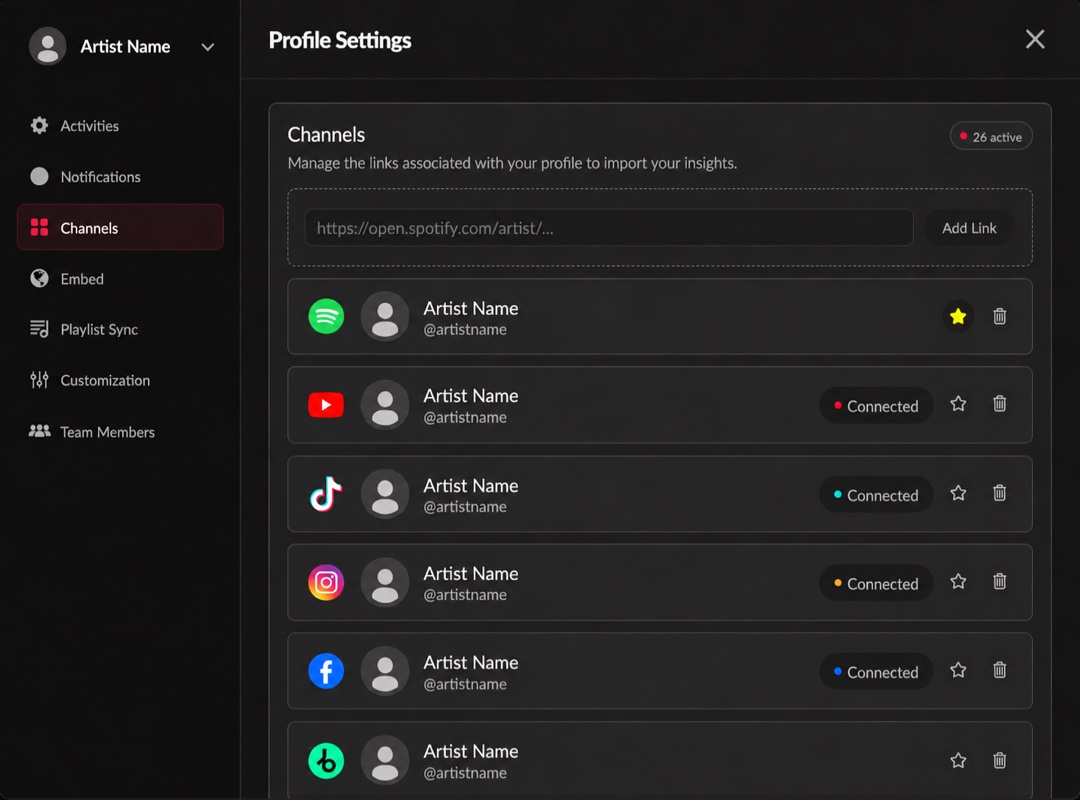
Linked platforms and their connection status. Click the image to enlarge it.
A listed URL and an authorized connection are different. For private insights, also connect the channel.
If you cannot edit the link, or two Songstats profiles need review, send Support the affected Songstats URLs and the correct official platform link.